Use this bar to show information about your cookie policy.
Description
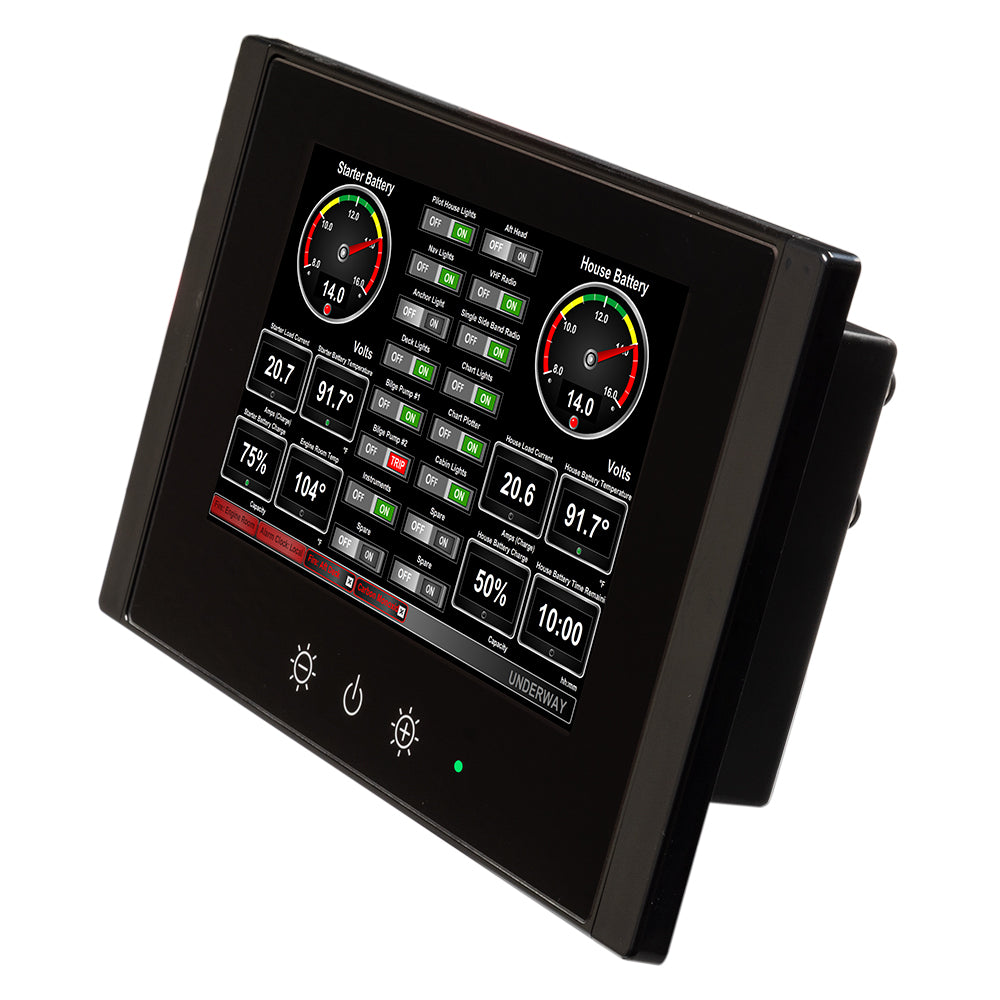
8" Vessel Monitoring & Control Touchscreen
The TSM810C is an 8" dedicated touchscreen that includes Maretron’s N2KView® vessel monitoring and control software. The N2KView® software allows you to configure as many favorite screens as you want with exactly the information you want to see. The TSM810C provides an extremely simple touch interface for monitoring and controlling critical systems from anywhere on the vessel.
The TSM810C is ruggedized for marine use and includes a solid state disk drive to withstand the pounding associated with waves. And since the TSM810C only dissipates 10 watts, there is no need for internal cooling fans that are noisy and wear out causing electronics to overheat and fail. The TSM810C can be mounted outside given the high bright screen and waterproof front.
As an alternative to controlling the TSM810C through the touch screen, the TSM810C includes two USB ports for connecting keyboards, mice, or trackballs. The TSM810C also has an Ethernet port for connecting Internet Protocol (IP) cameras for viewing within the N2KView® software.
Lastly, the TSM810C contains two completely isolated CAN bus connectors (M12) for easy connection to single or redundant NMEA 2000® networks.
Features:
8” TFT LCD Panel, LED Backlit
Widescreen Aspect Ratio 5:3
800 x 480 Pixels
1350 nits Brightness (Optically Bonded)
Solid State Disk Drive
Fanless Cooling System
Flush or VESA Mounting
Dual CAN Bus for Single or Redundant NMEA 2000® Network Connections